The Gig Game Hub and Events
The Gig Game Hub and Events are the foundation of how all games on Gig Game are created, managed, and hosted.
Once you understand these two concepts, every Gig Game experience - bingo, music bingo, QR bingo, trivia, and future games - works the same way.
The Gig Game Hub
The Gig Game Hub is the starting point for hosts.
Think of it as your control center for everything related to hosting games.
From the Hub, hosts can:
- Browse available game apps
- Start a game instantly or schedule one for later
- Manage event details (title, location, notes)
- Configure player sign-in and lead collection fields
- Launch the Host Console
- Open the HUD (shared screen)
The Hub is not a game itself - it's where games are organized, launched, and managed.
Events: The Core Concept (Sessions = Events)
In Gig Game, every hosted game session is called an Event.
Session = Event - the terms mean the same thing.
An Event represents one instance of a hosted game at a specific time and place.
Examples:
- Trivia night at a bar on Thursday
- Bingo fundraiser on Saturday afternoon
- QR Bingo activation at a trade show
- Music Bingo party at home
Each of these is a separate Event, even if the same game is used.
What Happens When an Event Is Created
When a host starts an Event, Gig Game automatically creates:
A unique join code
A QR code for players to scan
An event identity with its own:
- Settings
- Lead collection fields
- Runtime state (players, progress, scores)
A connection to a specific game application
This allows each Event to be managed independently, even if the same game is reused multiple times.
Instant vs Scheduled Events
Gig Game supports two ways to create Events.
Instant Events (“Play Now”)
- Start immediately
- Minimal setup
- Ideal for walk-in crowds or casual hosting
Scheduled Events
- Created ahead of time
- Allow full configuration before going live
- Useful for planned events, promotions, or venues
Both types create the same kind of Event once started.
How Events Connect Screens and Players
Every Event connects three roles together:
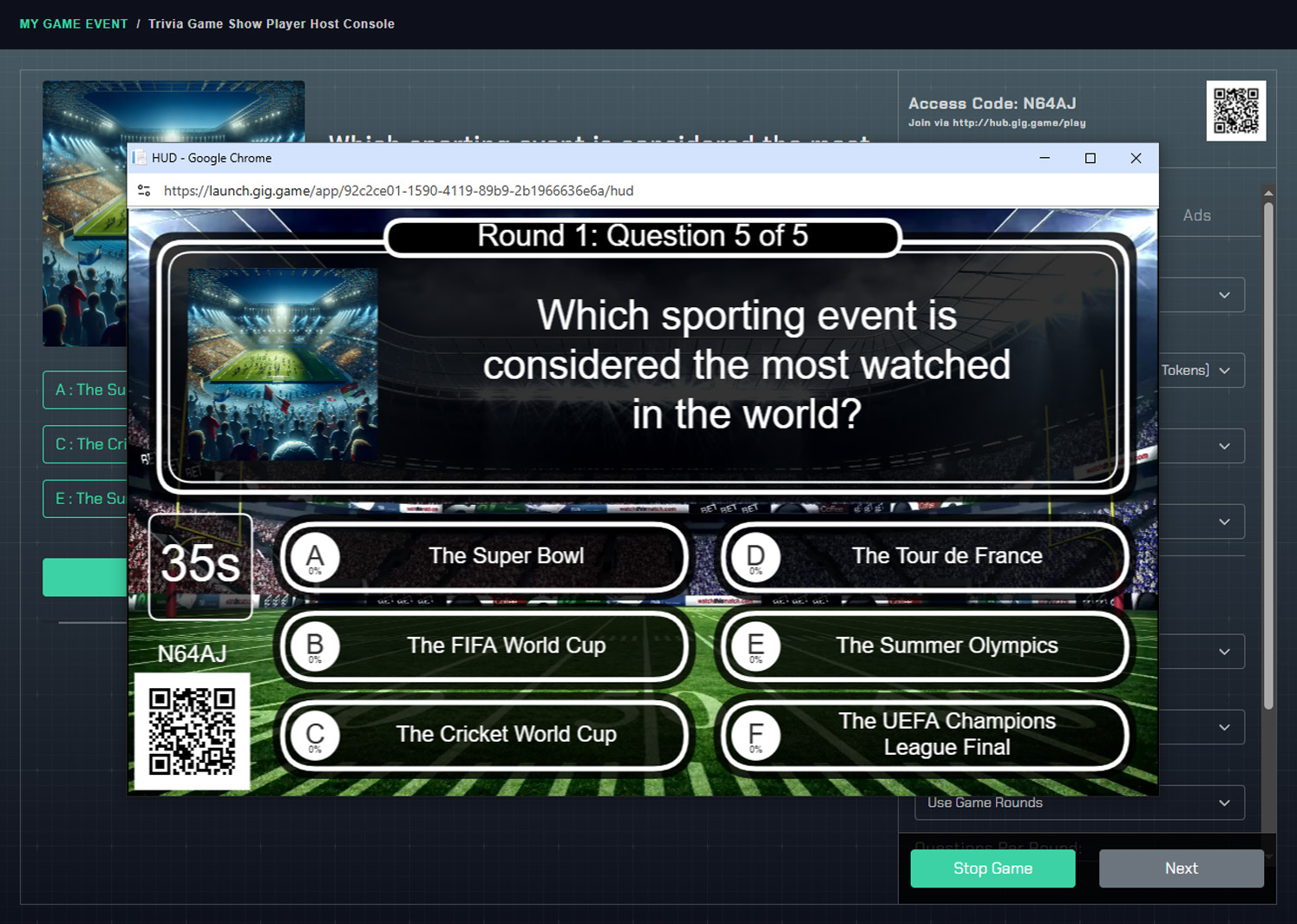
1) Host Console
The Host Console is where the host runs the Event.
From the Host Console, the host can:
- Start and control gameplay
- Advance rounds or calls (depending on the game)
- Control pacing and flow
- Monitor players and progress
- End or restart the Event
The Host Console is typically used on a laptop or tablet.
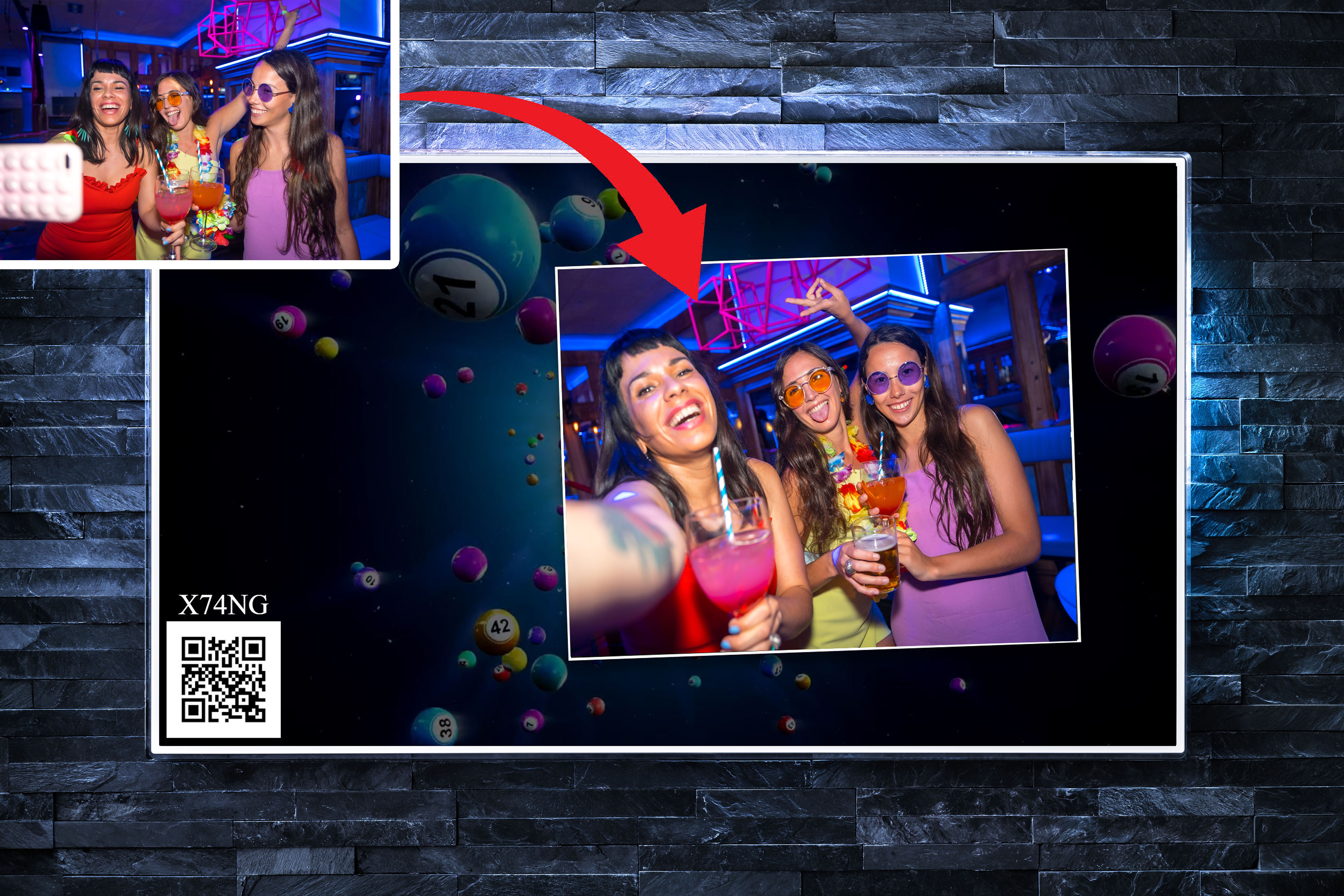
2) HUD (Shared Screen)
The HUD is the audience-facing screen shown on a TV, projector, or monitor.
The HUD typically displays:
- Game visuals and prompts
- Scores, timers, or progress
- Instructions for the room
- The QR code players use to join
The HUD is what turns a game into a shared, social experience.
3) Player Controllers (Phones)
Players participate using their own mobile phones.
Players join an Event by:
- Scanning the QR code shown on the HUD or
- Entering the Event's join code
No apps or downloads are required - everything runs in the mobile browser.
Player Sign-In and Event Identity
When a player joins an Event, they are shown event-specific information, such as:
- The Event title
- Optional host or location details
- Participation notes or instructions
If enabled by the host, players may also be asked to provide:
- Name
- Phone number
- Custom fields
Because this information is tied to the Event, each session can have its own purpose, audience, and data.
Why Events Matter
Events are the unit that ties everything together in Gig Game:
- Players are associated with an Event
- Lead data is collected per Event
- Gameplay state exists per Event
- Results and outcomes belong to an Event
This design allows hosts to:
- Run the same game multiple times without overlap
- Reuse audiences across different Events
- Host multiple Events with different goals
- Keep data and sessions cleanly separated
What to Explore Next
Now that you understand the Hub and Events, you may want to explore:
- Parts of Every Gig Game - deeper look at Host Console, HUD, and players
- Hosting Your First Gig Game - step-by-step walkthrough
- Ai Tokens - what they are, and how they are used
- Game Experiences - bingo, music bingo, QR bingo, trivia, and more
Every guide builds on the concepts explained here.