Welcome to the Photo Bomb
Photo Bomb is a live, interactive photo wall designed for events, parties, conferences, and activations. It lets your audience use their phones to send selfies, reactions, and messages that instantly appear on a shared big screen.
No app downloads. No setup headaches. Just instant audience participation.
What is the Photo Bomb?
Photo Bomb turns your screen into a real-time social canvas — a living backdrop that reacts instantly to your audience.
Guests use their phones to interact with the screen while a dynamic video background keeps everything visually engaging between moments of activity.
Guests can:
- 📸 Take and upload photos from their phone camera
- 💬 Send short text messages that appear on-screen
- ❤️ React with animated emojis and sound effects
Everything they send appears live on the HUD (big screen) while you stay in control using the Host Console.
🎬 Built-In Video Backgrounds (Set the Vibe)
Photo Bomb includes a large library of looping, high-quality background videos that play behind photos, messages, and reactions. These help your screen stay visually active even when no one is interacting.
You can think of them as ambient motion backdrops that match your event’s tone.
Examples of background styles you can use:
⚡ High-Energy / Party
- Neon tunnels and light beams
- Retrowave racing and synthwave grids
- Colorful equalizers and laser shows
- Disco balls, confetti, and fireworks
🌿 Chill / Lounge
- Floating clouds and sunsets
- Fireplace flames
- Ocean waves and underwater light rays
- Soft abstract motion and color swirls
🏢 Corporate / Professional
- Abstract technology grids
- Global connections around Earth
- Clean blue and dark abstract motion backgrounds
- Subtle geometric animations
🎄 Seasonal & Themed
- Halloween houses, skeletons, and stormy skies
- Christmas trees, snowflakes, and holiday scenes
- Pride flags and Love Is Love neon text
- Birthday, bingo, trivia, and game night animations
🎉 Fun & Playful
- Dancing cats, martians, and cartoon clouds
- Neon text like Happy Hour, Quiz Night, or Bingo
- Retro cassette tapes and arcade-style visuals
✝️ Religious & Faith-Based
- Peaceful church and cross imagery
- Soft candlelight and reflective backgrounds
- Seasonal faith visuals for Christmas, Easter, and Advent
- Symbolic animations such as crosses, menorahs, stars, and light-filled sacred spaces
These backgrounds are ideal for:
- Worship services
- Youth groups
- Holiday services
- Faith-based community events
- Church socials and fundraisers
🖼️ How It All Comes Together
While a video background plays:
- Photos pop onto the screen with a camera shutter sound
- Emoji reactions float across the display with audio feedback
- Messages slide in cleanly and remain readable over motion
The result feels less like a static slideshow and more like a shared live experience.
Perfect for Events Like:
- Weddings & parties
- Corporate events & conferences
- Trade show booths
- DJ backdrops & nightlife
- Community nights & fundraisers
- Faith-based gatherings and religious celebrations
The Main Parts of the Photo Bomb
Understanding these three parts will make everything else easy.
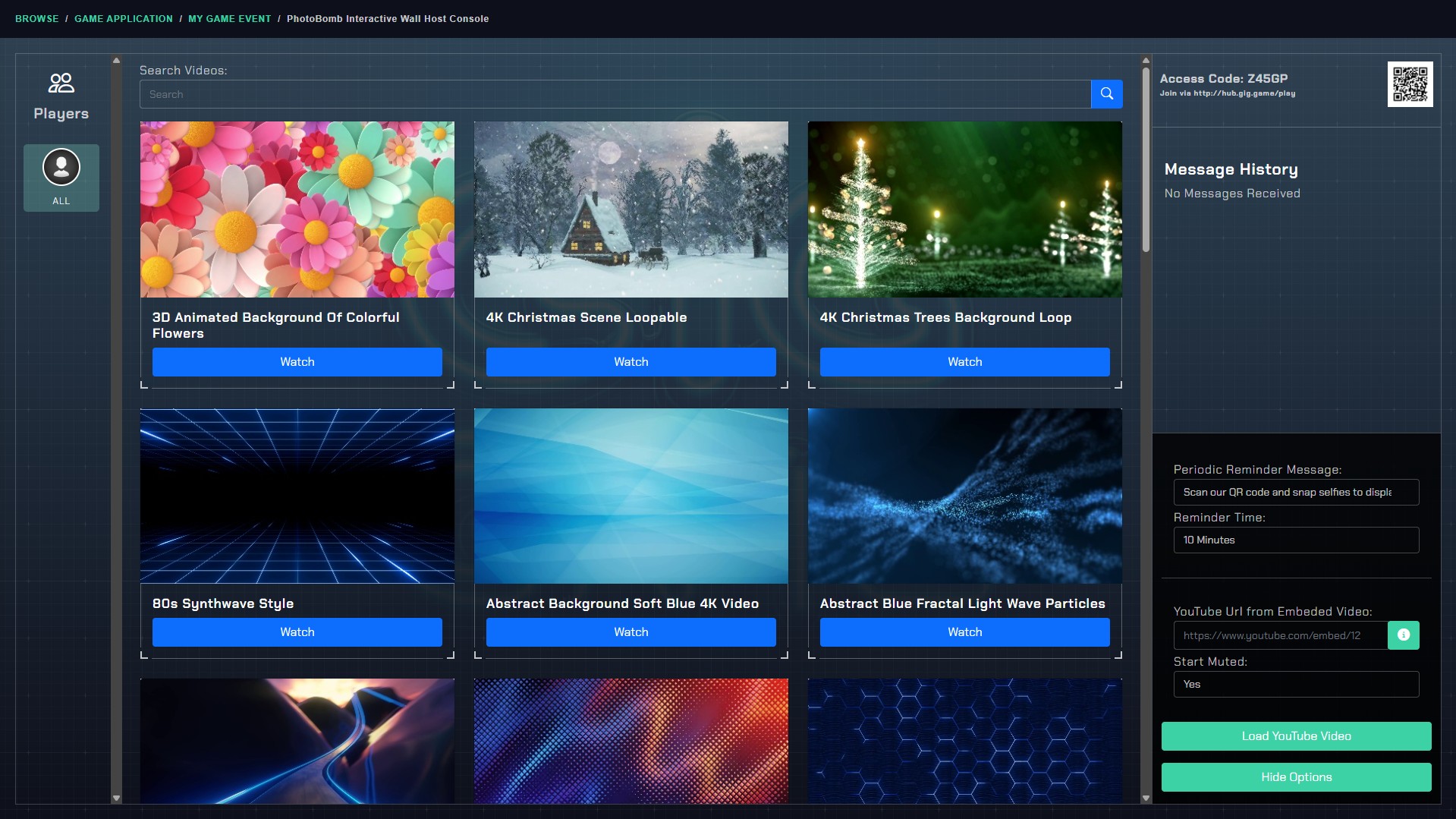
The Host Console (YOU use this)
What it is: The Host Console is your control panel. This is where you manage the session, see who’s connected, and control what appears on the big screen.
What you do with it:
- Start and manage the Photo Bomb session
- See players join in real time
- View incoming messages
- Control the HUD (big screen display)
- Launch videos or background content if desired
- Open or close the HUD window
Where it’s used: Typically on a laptop, desktop, or tablet.
👉 Important tip: Keep the Host Console private. Only the host should see this screen — your audience should only see the HUD.
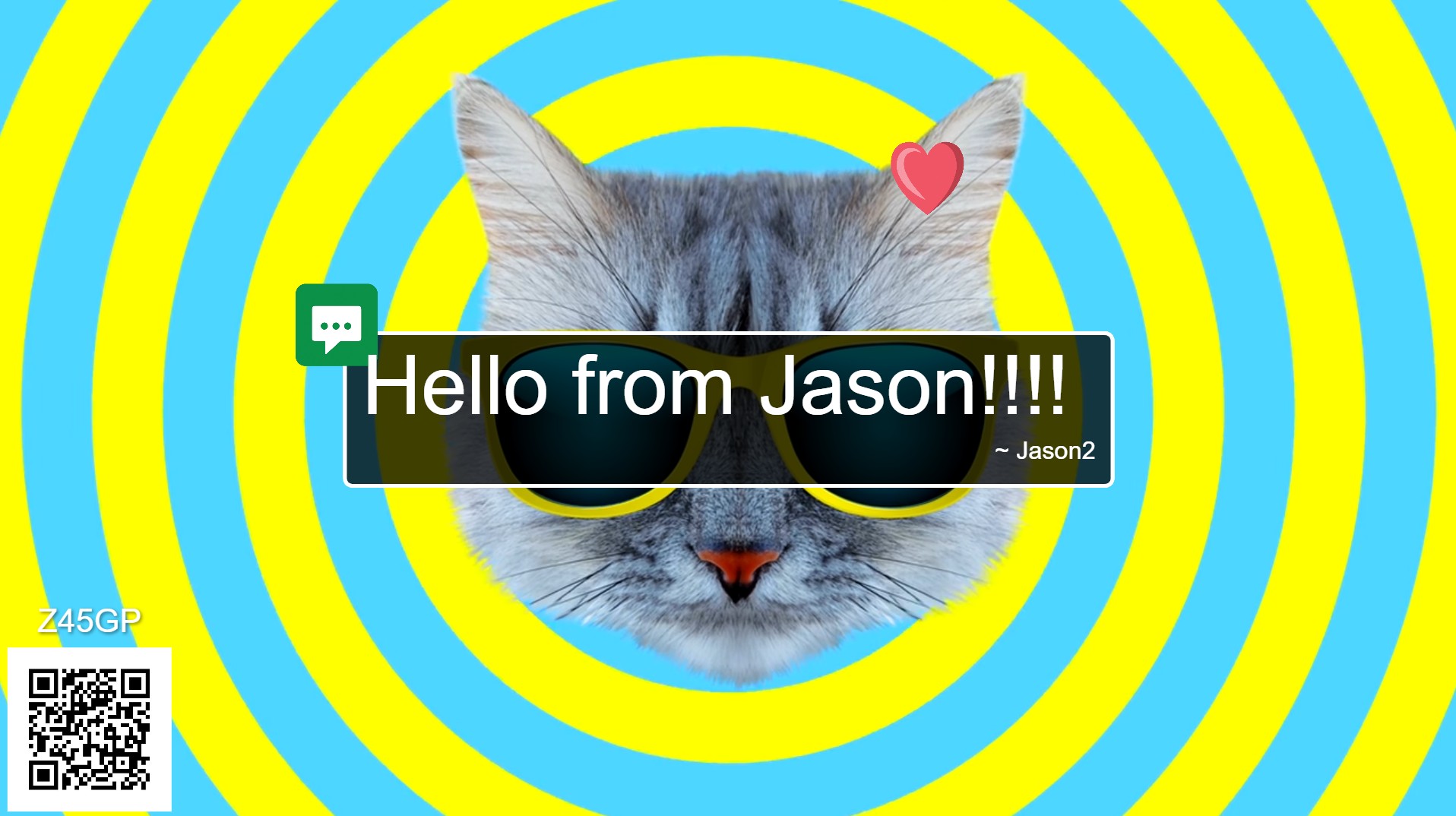
The HUD (Big Screen Display)
What it is: The HUD is the public display — this is what your audience sees on the TV, projector, or LED wall.
What players see on the HUD:
- Uploaded photos appearing with a camera sound
- Animated emoji reactions floating across the screen
- Messages displayed in styled callouts
- Optional background video or visuals
The HUD is designed to be:
- Clean
- High-contrast
- Visually exciting
- Non-interactive (no accidental clicks)
👉 Important tip: The HUD should be displayed on the largest screen possible for maximum impact.
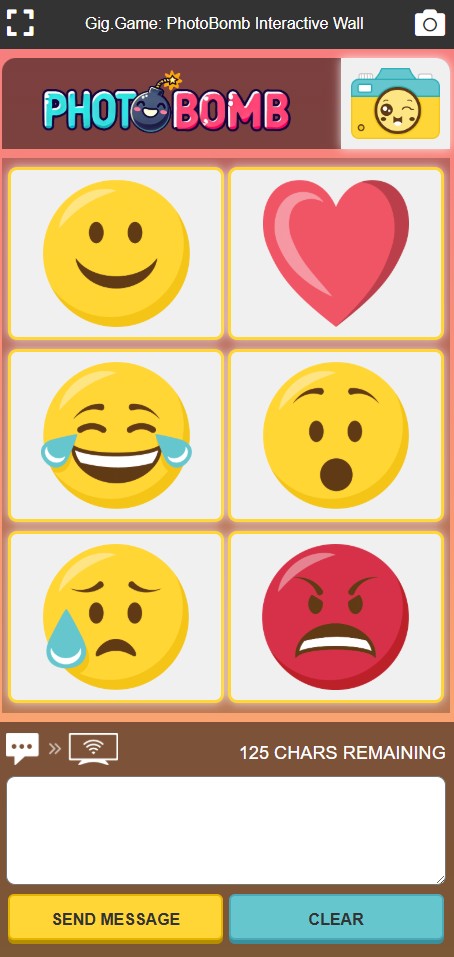
The Controller (Players’ Phones)
What it is: The Controller is the player’s mobile experience. This runs entirely in their phone’s web browser.
How players use it:
- Scan the QR code or visit the join link
- Enter the Access Code
- Take photos using their phone camera
- Send messages (up to 125 characters)
- Tap emoji buttons to send reactions
Key idea: Players do not need to download an app — everything works instantly in the browser.
Typical Game Flow (Big Picture)
Here’s what usually happens at an event:
- You open the Host Console
- The HUD opens on the big screen
- Guests scan the QR code to join
- Photos, messages, and reactions start appearing live
- The screen becomes a shared social experience
Everything below explains exactly how to do each step.
How to Start a Photo Bomb Session (Step-by-Step)
Step 1: Open the Host Console
Launch Photo Bomb from the Gig Game Hub
The Host Console loads automatically
You’ll see:
- Your Access Code
- A QR code
- An empty player list
Once opened, the system is ready for players to join .
Step 2: Open the HUD (Big Screen)
Click to open the HUD window from the Host Console
Move that window to:
- A projector
- TV
- LED wall
- External display
The HUD will sync automatically with the Host Console and stay updated in real time .
How Players Join the App
Once the game starts:
- Players scan the QR code on the screen OR
- Visit the join link and enter the Access Code
As players join:
Their names appear in the Players list in the Host Console
They immediately gain access to:
- Camera upload
- Emoji reactions
- Message sending
No waiting rooms, no approval steps.
What Players Can Do (Live Interaction)
📸 Send Photos
- Players tap the camera button
- Their phone camera opens
- The photo uploads instantly
- A camera sound plays on the HUD
- The image appears on the big screen
💬 Send Messages
- Players type up to 125 characters
- Messages appear styled on the HUD with their name
- Long messages auto-wrap for readability
😀 Send Reactions
Emoji buttons trigger:
- Floating animated graphics
- Matching sound effects
Reactions have a short cooldown to prevent spam
All interactions are synced live to the HUD .
First-Time Host Checklist
If this is your first Photo Bomb session, do this:
- ✅ Test the HUD on your actual event screen
- ✅ Scan the QR code yourself and send a test photo
- ✅ Check audio volume for reaction sounds
- ✅ Ensure Wi-Fi or cellular signal is strong
- ✅ Keep the Host Console hidden from guests
Once that’s done — you’re ready to let the crowd take over 🎉