Parts of Every Gig Game
Every Gig Game experience - regardless of the game being played - runs across three connected parts.
Once you understand these three parts, all Gig Game products work the same way, whether you're hosting bingo, music bingo, QR bingo, trivia, or future games.
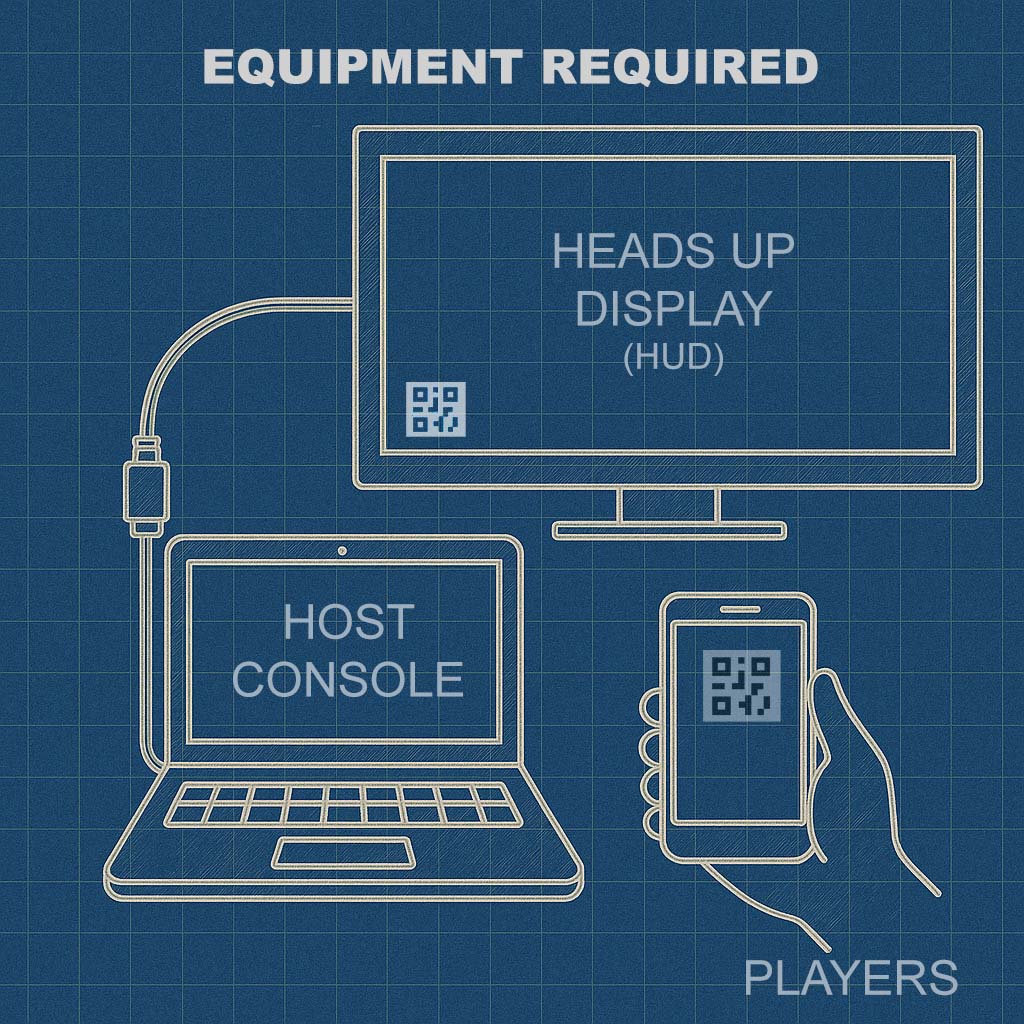
The Three Core Parts
Each Gig Game Event connects:
- The Host Console (the host's controls)
- The HUD (the shared screen everyone sees)
- Player Controllers (phones)
These parts are always connected in real time during an Event.
1) Host Console (The Control Panel)
The Host Console is where the host runs the game.
This is the host's private control interface and is typically used on a laptop, desktop, or tablet.
From the Host Console, the host can:
- Start and manage the Event
- Control pacing and flow
- Advance gameplay (calls, rounds, actions)
- Monitor players and progress
- Restart or close the Event
The Host Console is not visible to players and is designed for active, real-time control.
2) HUD (Shared Screen)
The HUD is the audience-facing display shown on a TV, projector, or large screen.
It is what the room watches together.
The HUD may display:
- Game visuals and prompts
- Instructions for players
- Scores, timers, or progress
- The QR code players use to join the Event
The HUD is what transforms a game into a shared, social experience, instead of individual play on separate devices.
3) Player Controllers (Phones)
Players participate using their own mobile phones.
Each player's phone acts as a controller, not a shared display.
Players can join an Event by:
- Scanning the QR code shown on the HUD or
- Entering a short join code
No apps, downloads, or accounts are required - everything runs in the mobile browser.
What Players See When Joining
When a player joins an Event, they enter a sign-in / join flow.
During this process, players are shown Event-specific information, such as:
- The Event name or title
- Optional host or location details
- Participation instructions (if provided)
If enabled by the host, the join flow may also request:
- Name
- Phone number
- Custom fields
This allows Gig Game to support both casual play and lead-driven events, depending on how the Event is configured.
How the Parts Work Together
During a live Event:
- The Host Console controls the experience
- The HUD keeps the room synchronized
- Player Controllers handle individual participation
All three stay connected in real time for the duration of the Event.
This architecture allows Gig Game to:
- Scale to large groups
- Support different game styles
- Keep hosting consistent across games
- Maintain a smooth experience for both hosts and players
Why This Matters
Because every Gig Game uses the same three-part structure:
- Hosts only have to learn the system once
- Players already know how to join
- New games feel familiar immediately
- Events remain predictable and reliable
This consistency is one of Gig Game's biggest strengths.
What to Explore Next
Now that you understand the core parts of every Gig Game, you may want to explore:
- The Gig Game Hub and Events - how sessions are created and managed
- Hosting Your First Gig Game - step-by-step walkthrough
- Ai Tokens - what they are, and how they are used
- Game Experiences - bingo, music bingo, QR bingo, trivia, and more
Each guide builds on the concepts explained here.